Showing posts with label research. Show all posts

Saturday, March 4, 2017

Universal Theme Collage

After students come up with a theme (see video of strategy here), I like to hit home the universality
of what a theme should be. What better way to have students realize that theme is true across time and space than to apply the theme to the past and across the world. I have my students use online research  (DE Streaming) to find a historical example of the theme being true and then a current event example (using Gale) to find it true in another place. Using those and text evidence along with a pic collage app, students make a visually stunning study of the theme and learn a little bit more about the world they live in. The instructions for this is in my shop.

Sunday, February 5, 2017

Inforgraphics Made Easy

Easel.ly not only provides students with easy to create inforgraphics perfect for the classroom, it also provides teachers a very handy e-book guide. The guide shows teachers how to set up groups for students to login without providing an email address. All you have to do is create a login and they send you a link.

Additional tips and ideas:

  • Have students start with a template if they have not had infographic-making experience
  • There is already a place to insert a list of resources. My favorite resource for students to create MLA format is Purdue's OWL Lab.*
  • Encourage students to link images and information back to their source material 
  • Because students can get bogged down altering the aesthetics, create a classroom procedure of needing teacher approval before playing with color schemes and extras
  • Because some tech- and content-savvy students finish early, I like to offer lesson add-ons for students. These are challenges for students to take and incorporate into their projects. It gives students another skill, keeps them engaged, and won't result in kids trying to rush through their work to get the opportunity to play a computer game. These are sort of like those 5 minute filler lessons that we teachers have when a class finishes a lesson early, but individualized. A great add-on for Easel.ly is asking students to Blabberize on of their images. They create the Blabberize and then hyperlink the image on the Easel.ly to the Blabberize. Students could also create a Vocaroo to hyperlink. 

*I know that many people like Easy Bib or Citation Machine, but I find that students tend to still have errors in their bibliographies AND no understanding of how to read the information in the bibliography. If I want my students to be able to use bibliographies as readers, I have to teach them how to write them. I would personally rather a student make an error in a bibliography entry they wrote than an error is one from Easy Bib. Just my two cents for my middle school ELA classroom.


Sunday, April 10, 2016

QR Code Museum Pieces

Turn your classroom - or school library - into a museum.


Student created art
Students create museum pieces and museum placards that indicate the information required. Perfect for history, prereading for historical novels, or post-reading for self-selected texts where each child can share an artifact from a book.


I wish I could show the kids' faces. There were smiles all around!

Students learn about lutes

Here are the directions for it as I applied it to pre-reading for Midsummer Night's Dream in which students examined the Elizabethan Era - so much better than a lecture from the teacher, right?


How I used this:

Shakespeare Centers (set up in ability groups of 3-5 with two of each type of center runnign concurrently)
Center A: Students participated in Shakespeare Museum
Center B: Students explored The Globe with the Shakespeare's Globe 360 App
Center C: Card Sort - advanced groups paired Shakespearean insults to their 21st century prose versions while struggling students worked on literary terms matched to examples from All the World's a Stage

Tuesday, April 5, 2016

Using ReadWriteThink to Simplify Differentiation

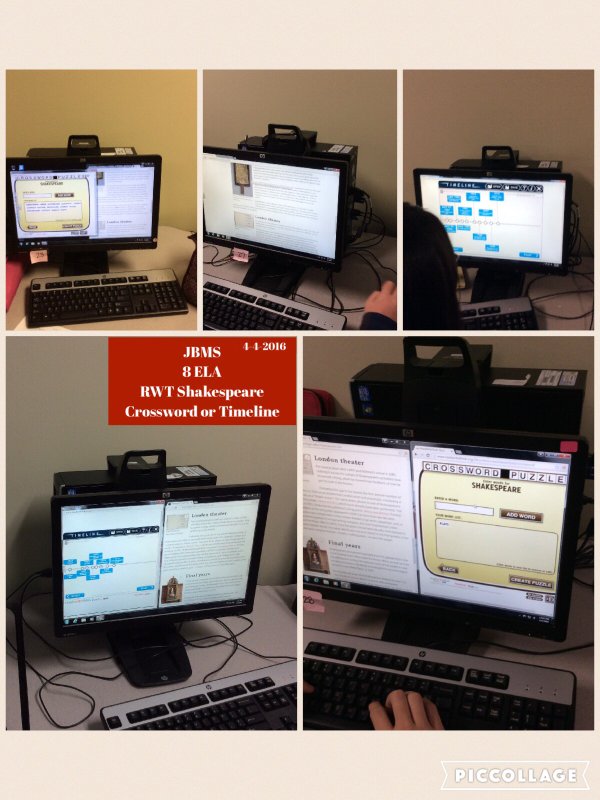
Instead of lecture on Shakespeare, I devoted two days to research of choice. Students researched 15 interesting things about Shakespeare and his time and got to choose the product they made. Students could make a crossword with Crossword Creator or the Timeline. Simplify the amount of info and make a Cube.

Saturday, February 20, 2016

Feature Writing as Summary

There are a hundred ways I could use the newspaper feature on www.fodey.com, but one of my favorites is the idea to have students respond to a chapter by writing a news article over it. I think it is great because it adds a creative aspect to retelling events. For my 8th graders, I would require that the headline needs to hint at a thematic issue or message.

I love how the website (1) lengthens the page so the end product can be short or long, (2) creates a downloadable image file that can be easily uploaded to Edmodo, Padlet, or incorporated into an appsmash, and (3) super authentic! It looks like the ink print from other newspapers has been left on it. This could create some really cool "historical" documents. I used to do a research project where students wrote diary entries from fictional or real characters in WWII. Wouldn't it be neat to have the end product of a research project like that be a fictional online archive?

For my example, I used The Outsiders. I had to research where the country may have been that the boys ran off to and what a viable date would be for the book, including the day of the week for that date. I had to imagine quotations from characters that seemed authentic to what we know about those characters.

Directions:
1. Think of what event happened in the book/chapter/story that would be front page worthy
2. Use the newspaper function on www.fodey.com (make sure to pause add blocker if you have that on your computer) to write a newspaper article that reveals the events
3. Use a maps website to come up with an accurate name for the newspaper and locations
4. Research the day of the week for an accurate date
5. Make sure your headline acknowledges a thematic component
6. In your summary, include a quotation from a character. This quotation should not be dialogue lifted from the text, but rather dialogue you create based on what you know about the characters and who a reporter would interview about this event


Friday, June 13, 2014

TED Talks: perfect research project for any class

My persuasive/expository unit is focused around STEM fields: teaching organization patterns with spider goats (check it out! https://www.youtube.com/watch?v=nYlkJyG1Oik ), audio/visual manipulation and logical fallacies with GMO propaganda (https://www.youtube.com/watch?v=hkionqWPc-Q ), and a slew of other skills with Odyssey magazine articles (http://www.odysseymagazine.com/). So when it came time for me to work on the research component, I knew I wanted more than just the research essay, I wanted to use that essay for a purpose. And what better purpose than to convert the essay into a TED Talk!

What is a TED talk?
Ted Talks aren’t just for STEMs. The soft sciences, philanthropy, dietary philosophies, social concerns, all these things are addressed in the various TED and TEDx talks. They have their own YouTube channels and I encourage you to go there, watch the intro vids, and read about what they are. I simply couldn't do justice to the awesomeness that is a TED talk.

Why a TED talk?
If you asked students to give a presentation in class, let’s be honest: they have one shot and only one shot. With a TED talk, they are recording their movements and inflections, and then replaying them, and then rerecording as needed. The fact they can actually SEE how they present is the best feedback. Letting a child give a live presentation and then mentioning to her that she was compulsively touching her hair the whole time, it really too late for feedback. Where, if they student saw her own hair touching, she would be more aware of it as she tried her presentation again.

How do I do it?
The research essay, I grade as its own product looking at the usual suspects: organization and ideas, research, citations, conventions, and style. When I ask the students to convert these into TED talks, we examine TED talks and come up with a presentation rubric of visuals, volume, inflection, and non-verbals. Then, students take their essay and truncate it for a presentation. They cut things out and reword things once they discover that what looked okay on a page is not what sounds best aloud (Dr. Neil DeGrasse Tyson’s Senate testimony that he submitted written was revised for his verbal testimony. We analyze the differences in class before we even begin our TED talks so when it comes time to make the TED talk speech, they kids already know it is not weird to change things up.)  In class, we use iPads with iMovie – although some of my students do go home that weekend and do it on their phones and submit it to me that next Monday. Those kids who have it in early are usually more than willing to play cameraman for their peers. To submit, I can pull the talks right onto my desktop and I put a student in charge of that. Some students submit via You Tube (DON’T DO PRIVATE!) and sending me the link.

I don’t have any samples I can post because they have the students’ faces on the videos, but it was really cool to see how creative students got with the presentation. One doing research on cochlear implants introduced her topic using sign language with captions at the bottom.  

No matter your subject area, TED talks are great platforms of student work!