Showing posts with label shakespeare. Show all posts

Saturday, May 7, 2016

Analyze Decisions in Drama


Reading narratives lets you analyze decisions of characters and authors, but when that narrative is a piece a drama there is an entire world of decisions waiting to be analyzed. Directors, actors, costume designers, and lighting directors make a multitude of decisions as they work with the texts. To me, what a waste of Shakespeare if we don't have students take this opportunity to look at interpretations of his work! 

In A Midsummer Night's Dream, I love to have students look at Act 3, scene 2, where Hermia and Helena are fighting and Lysander and Demetrius are torn between wanting to protect Helena and wanting to fight. The scene has so much action, and comedy, and conflict that watching it three times in three ways doesn't feel arduous. I prefer to use stage productions, where possible, although the benefit of a movie version thrown in does them lead to some interesting questions: What are they able to do in movies that can't be done on stage? How is the movie of an audience different than that of a theater?

I like to match a traditional clip (you can actually find clips from The Globe on YouTube!), a clip set in a past time period (there is a great one set in the 1960s by the University of California), and a very modern clip, which is actually part of our Wordplay Shakespeare.

The most important reason I think students should experience analyzing different versions of the same scene is that if they only see one version they think that is the way to do it.

Friday, April 29, 2016

Thinglink to Annotate Tableaus

Inspired by the Royal Shakespeare Company's use of student created tableau to foster close reading, I knew it would be a perfect pairing with Thinglink.
Analyzes movement to connect to motivation

Students select a moment in time to create a freeze frame, snap a picture to create a moment in time from the text, and then annotate the decisions they made in body, facial expression, proximity, and movement. The app is stripped down compared to the website, but it is easy to use with a picture students take of themselves if it is all on one device.
Analyzes proximity to reveal conflict.

The trickiest part is actually on the teacher end. Thinglink limits the amount of groups - 3 - and students - 105. So if you have class sizes like mine and 6 classes, you can't make a group for each class or give every kid a login. I decided to have one student per group request I register. Because the registration produces a dummy e-mail, complex password, and then I have to have students insert the class invite code, there are some steps that the students must take logging in that would not be friendly for younger students, but once they were in and students got into the app, I had very few questions and students were able to work through it fairly quickly.
Citation of lines that show the moment in time.


I also like that this is a shorter assignment. Students did their first one about half a period. I think if we did a second one, we could probably get the kids down to 15 minutes now that they understand how to login and use the app.


Sunday, April 24, 2016

Tagxedo to Analyze Diction

I'm a huge fan of diction analysis, and it is for sure an instructional emphasis in my classroom, which can sometimes make it feel redundant when we've been doing it all year long with every conceivable genre. That's the great thing about tech. You can have students do the same thing in tech that you've done in a very similar way on paper and the students don't even notice. The novelty makes the entire assignment feel fresh and creative. Gamification and tech, I've learned, are great ways to trick kids into practicing skills with renewed vigor!

My example created in the video. Super pretty, no? 

The end of the year we have fun with Shakespeare's A Midsummer Night's Dream. What better way to keep the kids engaged than by taking away the desks, putting on some fairy wings, and punning? 

The video pretty much says it all: add any text (I'm having my students pick a monologue from MSND) to Tagxedo , add the word cloud it into a presentation slide or word processor, pick out the 8-12 largest words, determine connections, write analysis for at least 5 of the words answering the question "Why?" - Why is this word being repeated? Why did the author choose this word and not ___?, save as a PDF and upload to whatever platform floats your boat!


Sunday, April 10, 2016

QR Code Museum Pieces

Turn your classroom - or school library - into a museum.


Student created art
Students create museum pieces and museum placards that indicate the information required. Perfect for history, prereading for historical novels, or post-reading for self-selected texts where each child can share an artifact from a book.


I wish I could show the kids' faces. There were smiles all around!

Students learn about lutes

Here are the directions for it as I applied it to pre-reading for Midsummer Night's Dream in which students examined the Elizabethan Era - so much better than a lecture from the teacher, right?


How I used this:

Shakespeare Centers (set up in ability groups of 3-5 with two of each type of center runnign concurrently)
Center A: Students participated in Shakespeare Museum
Center B: Students explored The Globe with the Shakespeare's Globe 360 App
Center C: Card Sort - advanced groups paired Shakespearean insults to their 21st century prose versions while struggling students worked on literary terms matched to examples from All the World's a Stage

Tuesday, April 5, 2016

Using ReadWriteThink to Simplify Differentiation

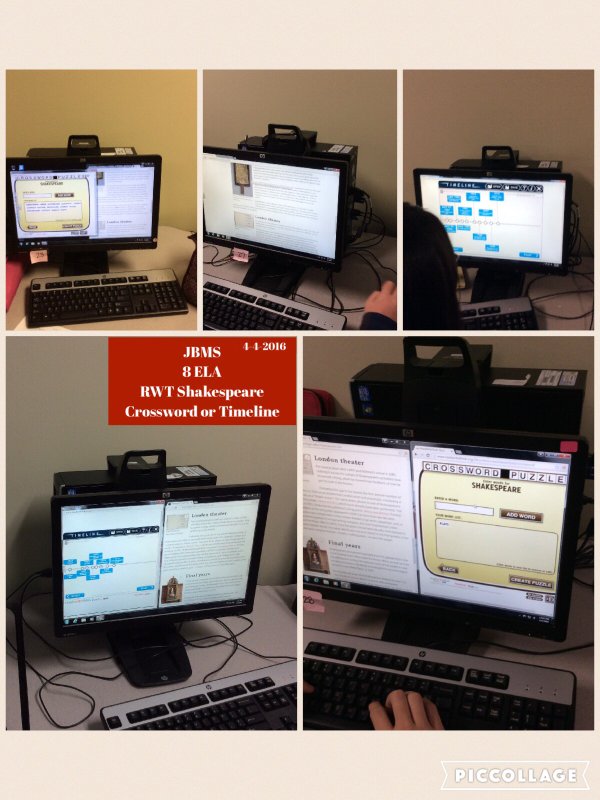
Instead of lecture on Shakespeare, I devoted two days to research of choice. Students researched 15 interesting things about Shakespeare and his time and got to choose the product they made. Students could make a crossword with Crossword Creator or the Timeline. Simplify the amount of info and make a Cube.

Tuesday, March 1, 2016

Top 5 Reasons Listicles Might Be the Next Big Thing in ELA

I remember one year going to the Abydos Conference and there were five separate sessions about graphic novels and/or comics. A form of writing once thought lacking in legitimacy, became a new genre for English teachers and a new mode for students to write. Entire books were devoted to the use of comics to teach everything from inference to how to punctuate dialogue or sequencing.

I propose listicles will be the next big thing. Why?

5. Our brains like lists. This for of writing is prevalent because it gets clicked on. It gets clicked on because our brains enjoy the ease of instantly understanding how information is placed on the page. This means having students look at a listicle may help students quickly acquire new knowledge. Or having students transform an article into a listicle may help them breakdown and understand complex information. Not to mention the love affair with lists starts young by reading listing books like Green Eggs and Ham as well as being one of the first genres of writing for many children. (My daughter had just turned two when she started making our grocery list! Needless to say, while she wrote hers, I was also writing one that I could read. But still, listing!)

4. The popularity indicates this is a genre with longevity, so why wold we ignore preparing students for genres they will encounter in the future? While listicles may be a relatively new term and list-based articles have exploded recently, listing as a form of organization is not new. From poetry to satire to satirical lists about listing, listing spans many traditional literary forms. Why not blend the genres that rely on listing as a form of organization and include a listicle, a form they will be reading in the future?

3. Listing and journaling go hand-in-hand. Teachers have use listing as a brainstorming strategy for decades - if not longer - and those who journal for pleasure can easily find books on the subjects of journaling from lists. Instead of listing to come up with one idea, a listicle asks the writer to create an organization of the list and think of each point as a something to develop in a concise and focused manner.

2. Listicles are the perfect example of how to create a topical paragraph. If you are like me, you have students who just do not "get" the idea of a topic sentence. Each paragraph is actually several ideas mashed together like warping puzzle pieces to make them fit. The great thing about a listicle is it is based on reasons, not details. Most listicles have the first sentence for each point be the topical sentence. Having students thinking of their expository or persuasive essay as a listicle - after examining and mimicking listicles - is powerful. The essay becomes "3 Reasons How Working Alone is Better Than in Groups". The organization is clearer and instructions fits a very brain-friendly (see number 1) pattern. Add in and intro and conclusion, replace the numbers with transitions, and you can help students who would otherwise get poor marks because of lack of organization and focus, create a serviceable essay.

1. Ranking listicles ask for higher level blooms. There are three main types of listicles: ranked, thematic, and random. Asking students to write in the world of ranking is the evaluating level of blooms. In order to justify their responses, they have to provide evidence and reasoning. For example, while reading a whole class text like A Midsummer Night's Dream, students who have been exposed to a listicle can brainstorm whole class what ranking listicles could be created for the text: 3 Worst Mistakes in Midsummer Ranked, 3 Biggest Fools from Midsummer Ranked, 5 Best Characters in Midsummer Ranked. By having a smaller number than the students would want, students will be forced to decide who or what makes the cut. Add in requirements for textual evidence and students are writing a literary analysis.

While listicles would not replace formal process papers, they do offer additional opportunities to write as well as support in drafting stages. No self deprecating-humor or snarky comments required!

Thursday, June 4, 2015

Shakespeare's Globe App


Stop lecturing about Shakespeare's Globe Theatre and instead have your students participate in a walking tour. Not able to make it to London, you say? Enter the app Globe 360. Students can use the marker - downloadable from the website - or use it without a marker and students can still explore the globe, watch video, and tour the building.

By using ipads, students will be able to look up at the bright blue sky by lifting the ipad above their heads and make a complete 360. So much fun to incorporate into a webquest (appquest?)!